
Kari is a desktop AI agent app that runs on your existing Claude or ChatGPT subscription — no pay-as-you-go API fees. From summarizing and translating documents to building slides and reports, analyzing data, and automating browser tasks.
Download
Choose the build for your platform below.The current version is 0.7.4. The Windows, macOS, and Linux builds are all available.See the documentation for details.
Kari is a desktop application
Kari runs on Windows, macOS and Linux computers. It cannot be installed on iPhone, iPad or Android, and no mobile version is provided at this time.
Send this page to your computer and download Kari there.
Show desktop downloads anyway
Note for Windows users: while the installer is downloading, and again when you launch Kari for the first time, your anti-virus software may scan the files and keep you waiting for several minutes. Once the scan finishes, the download and the startup complete normally.
What is Kari
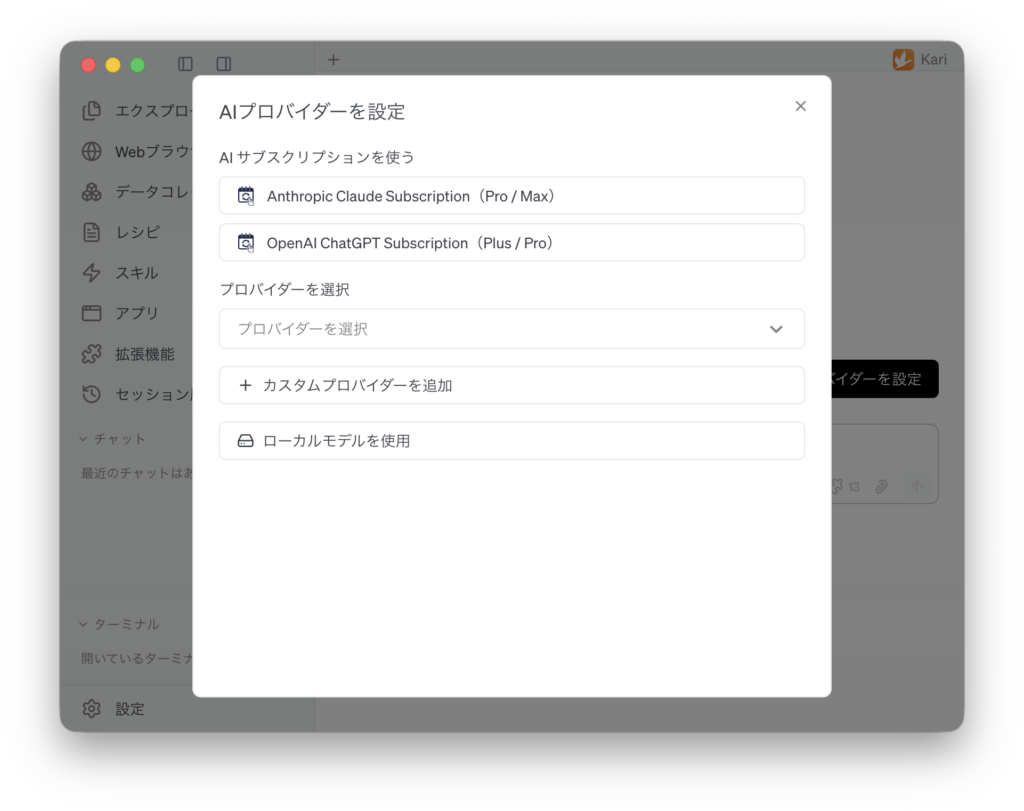
Kari (かり・雁, Japanese for “wild goose”) is a user-centric AI agent application for reading through your local files together with AI and getting work done. It brings everyday tasks into a single screen, including drafting emails, summarizing and translating documents, drafting slides, analyzing data, researching the web, vibe coding, and browser automation. There is no need to re-upload files into a chat window — Kari works directly with the files already on your machine.
Along with signing in with your Claude or ChatGPT subscription, Kari comes pre-configured for more than 70 AI providers (including Google Gemini, Microsoft Azure, and local LLMs), and also supports adding your own providers and running local models. With Kari you get AI agent capabilities without any additional development. Combine it with OumiGo, and you can easily build a self-contained AI system within Japan.
The interface and the documentation are both fully available in Japanese, and Kari is designed for use in Japanese-language environments.

Use cases for Kari
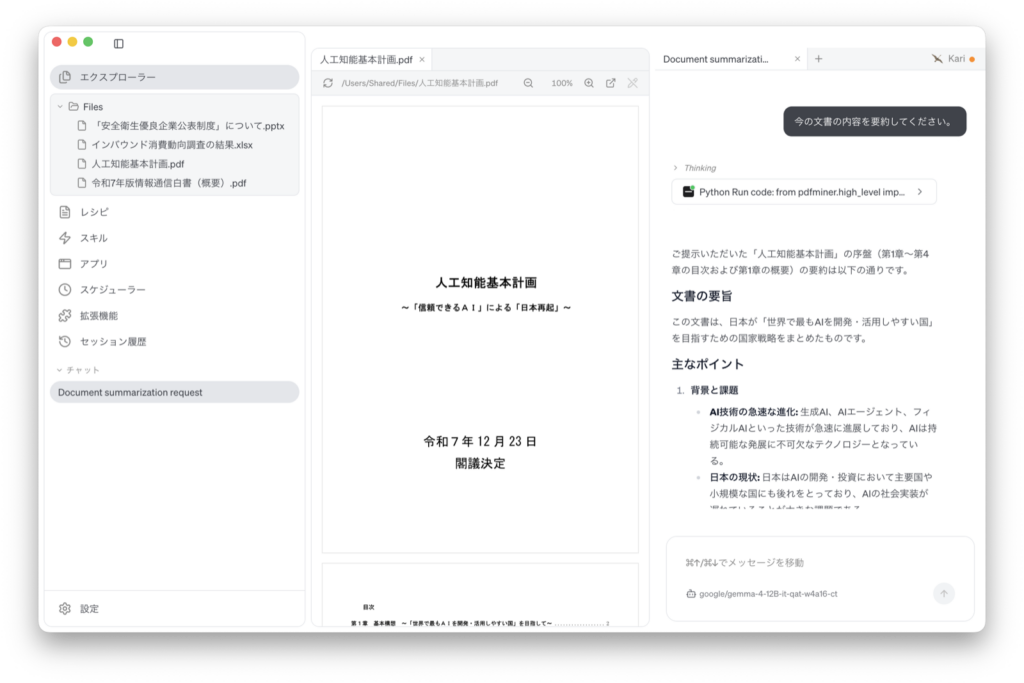
- Summarize meeting notes and PDF / Word documents
- Translate PDF, Word, and PowerPoint files
- Draft PowerPoint presentations
- Aggregate and visualize Excel data
- AI agent data analysis: have the agent parse and type raw CSV, Excel, and SQLite data, then run correlation and segment analysis, build charts, and draw out insights
- Create flowcharts
- Search web pages, and search across large numbers of local files
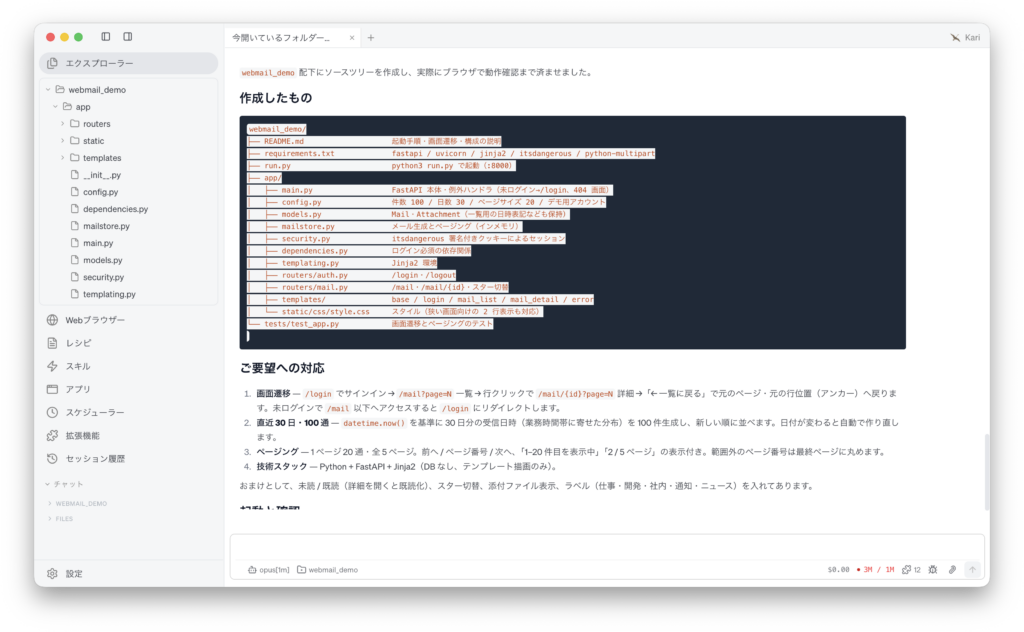
- Vibe coding
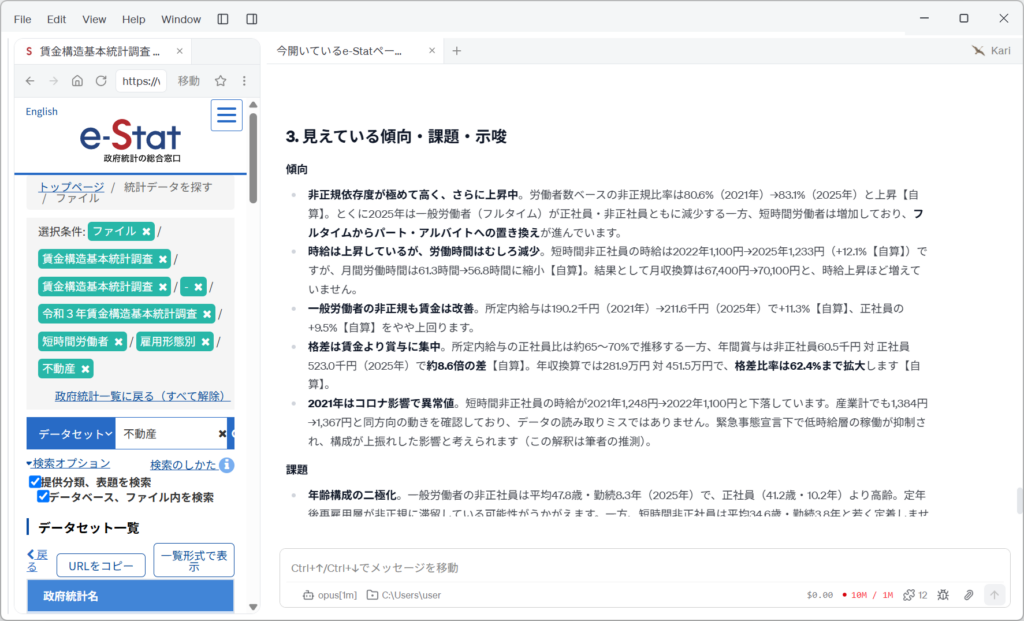
- Browser automation: on sites with no Web API or MCP support, the built-in browser carries out search, navigation, and downloads for you (parliamentary records, court decisions, government statistics, social media trends, and more)
- Agent Desk: run an unattended service desk where an AI agent takes requests through a web form, works them under a job description, and emails back the deliverable (subsidy diagnosis, corporate performance diagnosis, and more)
Automated data analysis with AI agents
Kari now supports data analysis by AI agents. You can hand the agent the whole sequence: working out the structure of the raw data, aggregating and correlating it against your hypothesis, building the charts, and drawing out the insights. Cleaning, reshaping, and aggregating raw data has traditionally taken significant effort, and every change of hypothesis meant repeating the same work. With Kari that repetition finishes quickly, so you can get through more iterations in the time you have.
Register a CSV, Excel, or SQLite file in a data collection and Kari works with it as a table, referencing the file where it sits rather than copying it. Ask for AI parsing and the agent determines and applies the right type for each column — and because it leaves the work behind as a Python script, you can go back and check exactly what was converted and how. Give it an analysis instruction next, and the filtering, derived variables, correlation analysis, and charts are saved together as a data flow, ready to re-run when you revise the hypothesis.
The documentation walks through two worked examples built on Japanese public statistics.
- Tokyo real estate price analysis with AI: 207,636 transaction records (28 columns, 39.3 MB) for the 23 wards of Tokyo from the MLIT Real Estate Information Library — parsed, then analyzed for the correlation between the per-square-meter price of pre-owned condominiums and 26 other variables, the price growth rate by segment, and the correlation between that growth rate and population change across the wards
- Inbound consumption trend analysis with AI: published Excel data from the Japan Tourism Agency and JNTO, parsed and joined, then analyzed for visitor-count and total-spending trends by nationality and region
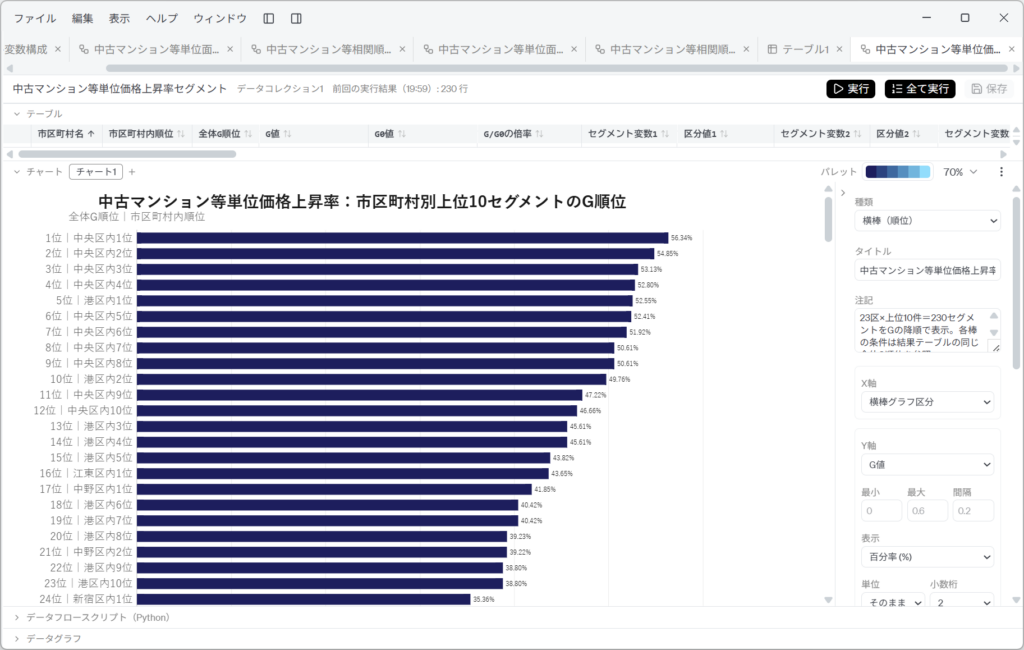
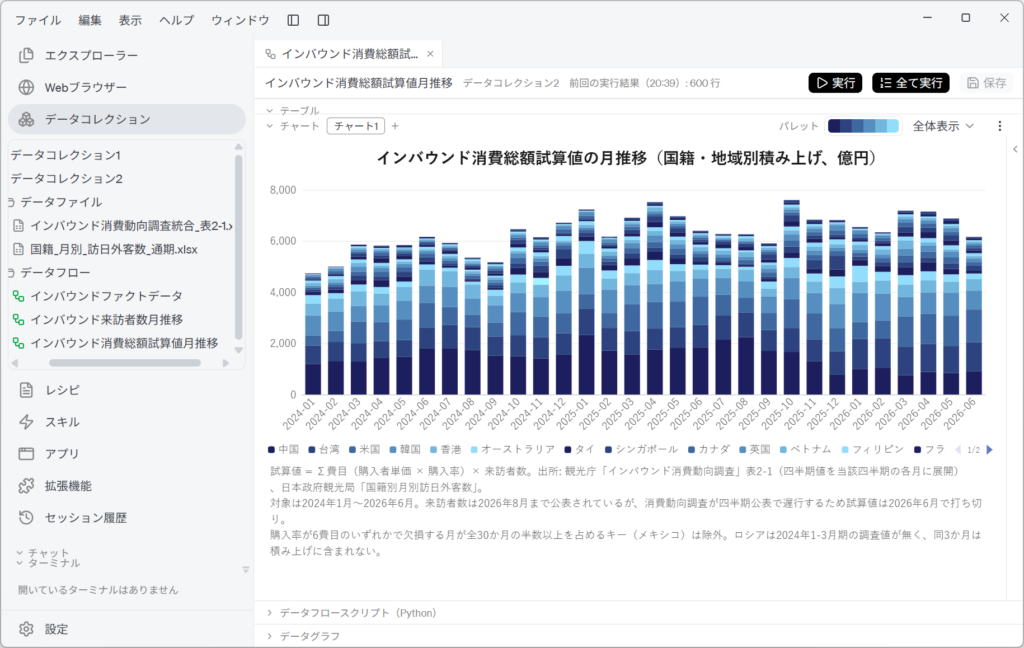
If you are going to act on the results, always check the figures the AI produces against the source data. Each documentation page marks the places worth verifying under “Human-in-the-loop のポイント”.
For details, see AI によるデータ分析自動化 (Automated data analysis with AI) in the documentation.
Agent Desk: a service desk that runs unattended
Version 0.7.4 adds Agent Desk, for running a business service desk with no one staffing it. Until now Kari has worked as an assistant agent: a collaborator beside you, working through your local files and the browser in conversation. The desk agent that runs on an Agent Desk is different. It accepts requests in a fixed format through one defined counter, processes them under a written job description, and returns the deliverable to the requester. No person takes part between reception and delivery, so the first-pass handling of routine work that is hard to staff can be left to a counter run by AI.
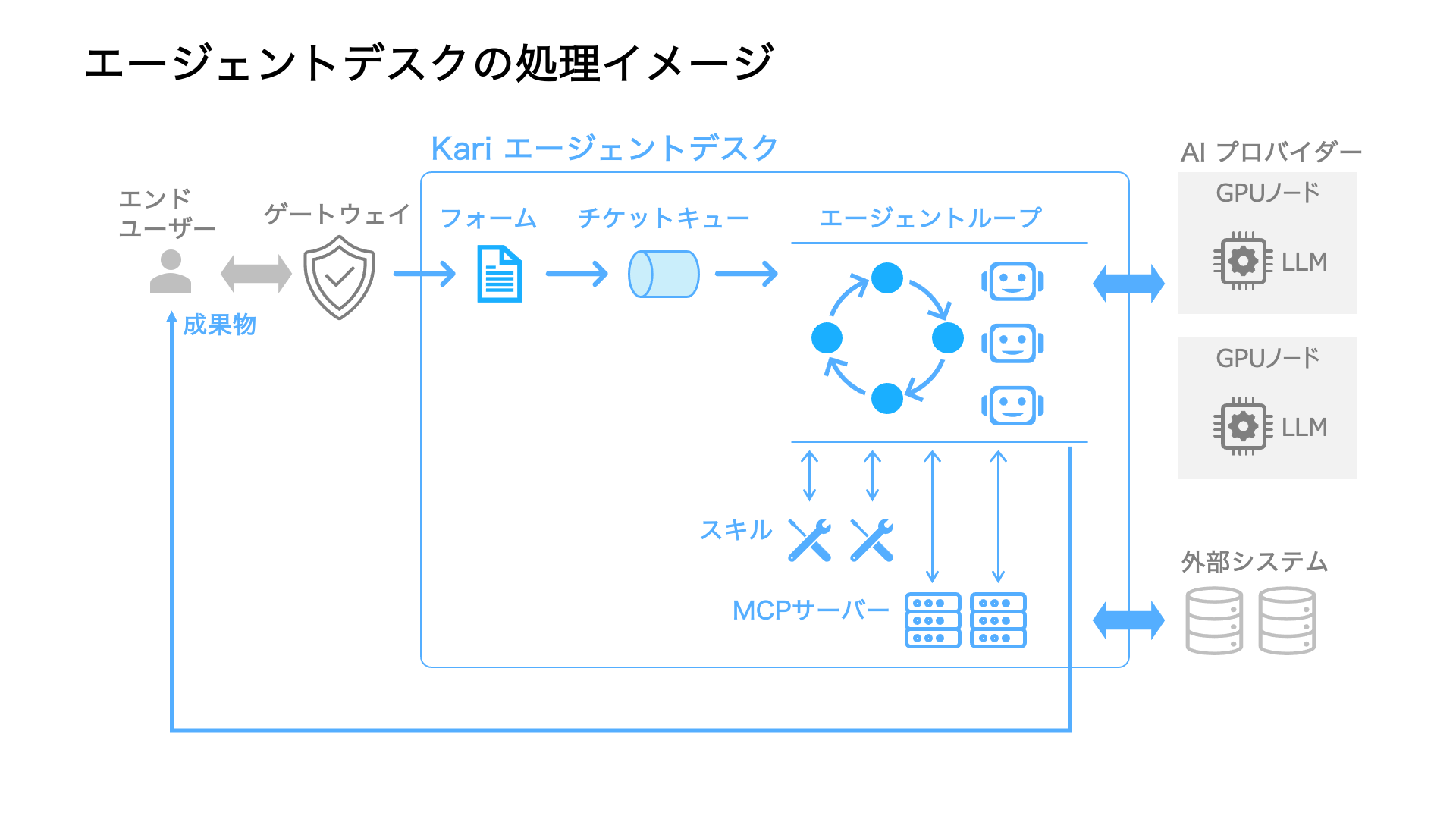
A desk is made up of the following parts.
- Request Form: collects everything the desk needs at the moment a request is submitted. You can combine 15 field types and set email code verification, a daily request limit per address, and spam protection
- Web Intake Portal: the counter where requests are submitted in a browser. It closes automatically outside reception hours and while the queue is full
- Desk agent: works each request under the Desk Overall Instructions (the job description), skills (working procedures), and MCP servers (routes to outside data and systems)
- Delivery: when the work is done, the requester receives a delivery notification and a download link by email
- Monitor Console: lists tickets and their history, shows the full system prompt and conversation, and lets you re-run, stop, or cancel a ticket
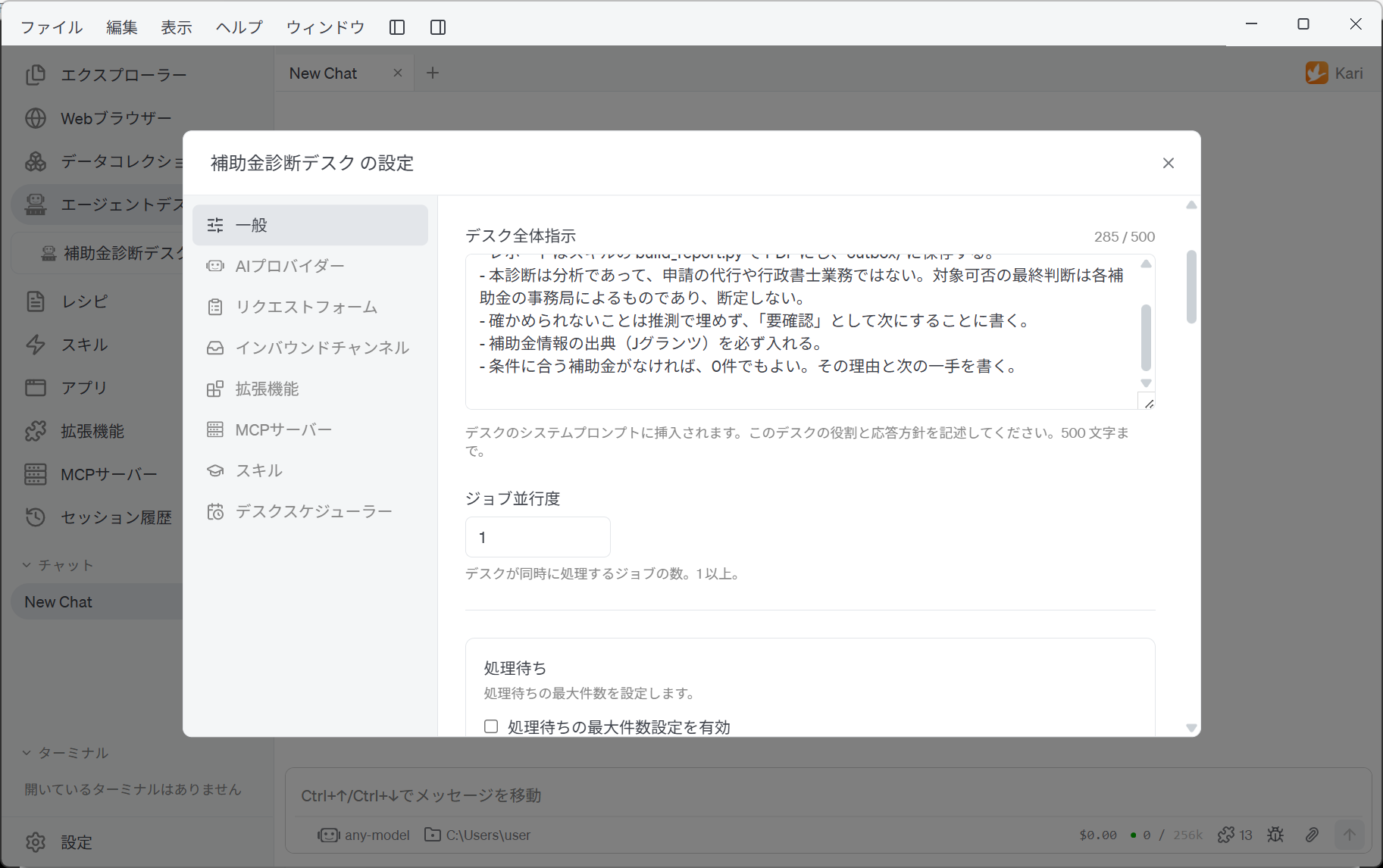
A desk agent never stops to ask the requester a question. When information is missing, it returns the request as failed and says exactly what was missing — add that field to the Request Form and the desk improves as it is used. A desk’s settings, request form, and skills export together as a single .dsk file that another Kari can import as it is.
The documentation walks through building two example desks. Their settings files (.dsk) are free to download, and the MCP servers they use (jgrants-util-mcp-server and edinet-util-mcp-server) are published on PyPI under the MIT License.
- Subsidy diagnosis desk: reads the company’s website, searches the subsidies currently open for application through an MCP server for jGrants (Japan’s Digital Agency subsidy portal), and returns a PDF report of candidate subsidies with their subsidy rate, cap, deadline, eligible expenses, and fit
- Corporate performance diagnosis desk: reads annual securities reports through an MCP server for EDINET (Japan’s Financial Services Agency), and returns a PDF report comparing revenue growth, margins, ROE, equity ratio, and more against the median of industry peers
Because a desk keeps processing requests with nobody attending it, Agent Desk does not run on personal Claude or ChatGPT subscriptions. Set an AI provider that uses an API key (including in-house or local LLMs) for each desk. The assistant agent continues to work on your subscription as before. The desk’s screens open only on the PC that runs the desk, and tickets, deliverables, and processing records are all stored on that PC.
Agent Desk suits routine work handled at a defined counter with documents and screens — above all the investigating, checking, and drafting that comes before a person makes the final call. Actions that cannot be undone if they go wrong, such as fixing an amount, changing a price, or sending something outside the company, should not be designed as desk work.
For details, see Agent Desk in the documentation.
Licensing
Choose the option that matches how you will use Kari.
Community
- Individuals, no time limit
- Legal organizations of less than 100 people, no time limit
- Legal organizations of 100 or more people, within 60 days evaluation time limit
- Free to use, including at work
- Resale or redistribution
- Distributing modified copies
Provided as-is, without warranty
Download for freeCorporate
Legal organizations of 100 or more people, beyond the 60-day evaluation
- Licensing tailored to your use
- Deployment & support
Documentation
For installation steps and detailed usage, see the documentation site.
- Quick Start: installation and initial setup
- Signing in with an Anthropic Claude subscription
- Signing in with an OpenAI ChatGPT subscription
- Using Kari: practical usage examples
- Browser automation: examples of AI agents working inside a website
- Automated data analysis with AI: worked examples from parsing raw data through correlation analysis and charts
- Agent Desk: how to build an unattended service desk, with subsidy diagnosis and corporate performance diagnosis as worked examples
Press
Press releases about Kari are distributed through PR TIMES (in Japanese).
- November 13, 2026: [Free webinar, Dec 2] Start streamlining your work with Kari, the AI agent that also runs on your Claude or ChatGPT subscription
- November 9, 2026: Preparing for labor shortages with AI agents — desktop AI agent Kari adds Agent Desk, an unattended business service desk
- October 18, 2026: Hand data analysis to AI on your Claude or ChatGPT subscription — desktop AI agent Kari adds automated CSV and Excel analysis
- September 20, 2026: Kari, a desktop AI agent app, is now available